

DockPops
Organize your Dock like your iPhone
🎉 30% OFF LAUNCH SALE

Click the DockPops icon ↓
My Apps




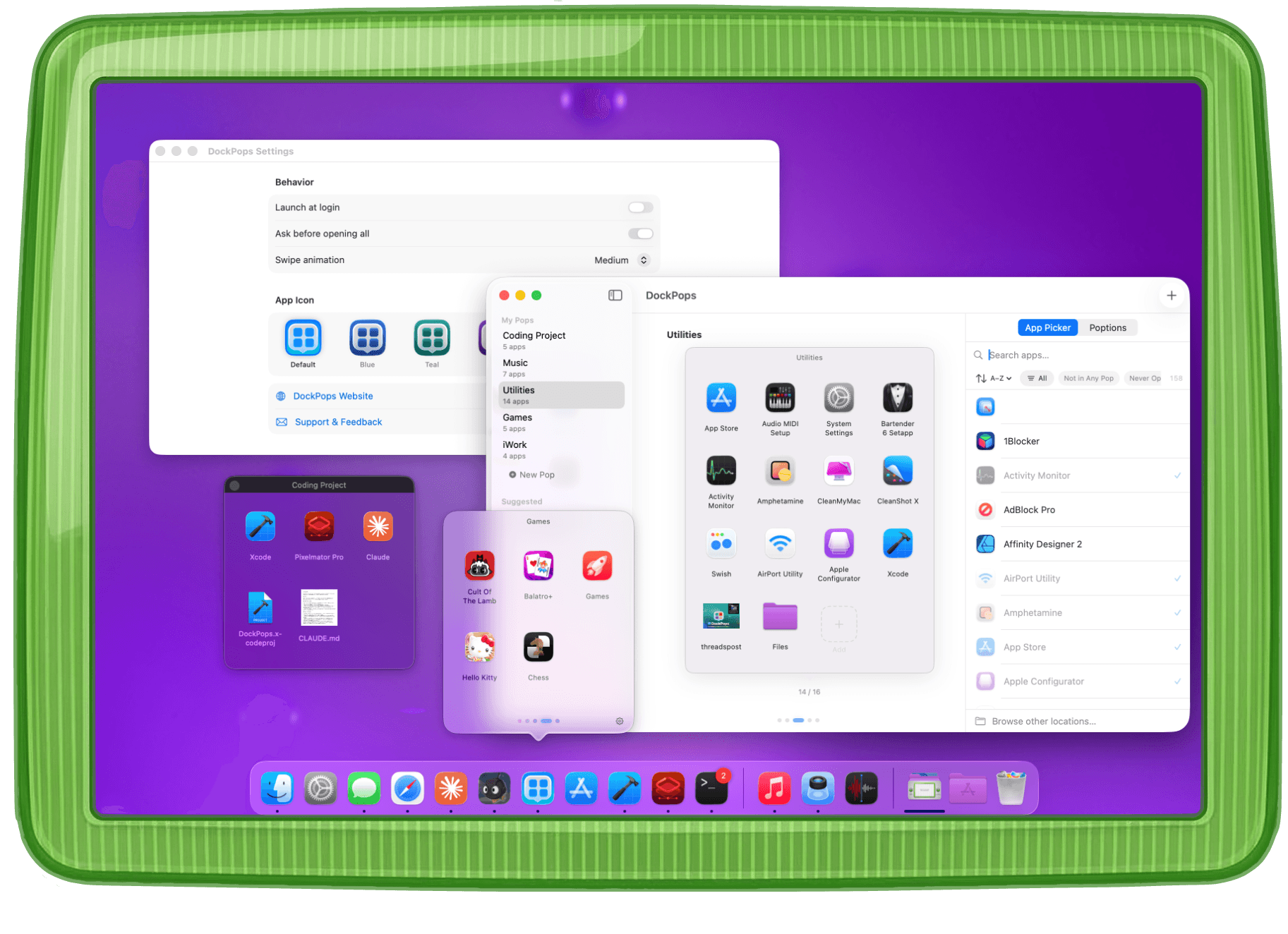
DockPops put iPhone folders in your Dock. Your apps, files, and folders — a click away.
Download Free. Upgrade Once.
🎉 30% OFF LAUNCH SALE
Free
DockPops
Free forever
- ✓2 Pops
- ✓6 apps per Pop
- ✓Swipe between Pops
- ✓Drag to reorder items
- ✓Works with any Dock position
- ✓Light & dark mode
LIFETIME
Premium
$9.99$6.99one time
No subscription. Ever.
- ✓Up to 10 Pops
- ✓16 items per Pop
- ✓Add files & folders
- ✓Pop out into floating windows
- ✓Open All & Sort
- ✓Alternate app icons
- ✓Filters on Add App screen
- ✓SmartyPop suggestions
39+ features and counting
🖱️ Dock Icon & Access
- Click the DockPops icon to open a popover of apps and files
- Pops work with Dock on bottom, left, or right side of screen
- Pro5 premium app icon variants (Blue, Teal, Violet, Graphite, Amber)
🚀 Launch Apps, Files & Folders
- Click an app icon to launch it
- Click a file icon to open the file
- Click a folder icon to open it in Finder
- Files and folders show rich QuickLook thumbnail previews
- Pro"Open All" launches every item in a Pop simultaneously
- ProConfirmation dialog before Opening All (global toggle)
⭐ Premium Features
🧠 SmartyPops
- ProSwipe, dismiss, and regenerate SmartiePop previews
- ProSave SmartyPop suggestions to your Pops
📌 Pop Out Windows
- ProPop Out any Pop as a floating, always-on-top window
- ProLaunch items directly from Pop Out windows
👆 Multi-Pop Carousel
- Swipe between 2 Pops
- Show up to 6 apps
- Change animation speed (Slow / Medium / Fast)
- ProSwipe between 10 Pops
- ProShow up to 16 apps, files or folders
- ProSort items Alphabetically, by Most Used or Recently Added
🤏 Drag & Drop Pop
- Drag apps, files, or folders from Finder into the Pop setup window
- ProPop picker when multiple Pops exist
- ProDrag onto the DockPops Dock icon to add to a Pop
- ProDrag multiple items from Finder at once
🔍 App Browser
- + button and Browse button open the App Browser
- Live search bar
- Category filters
- Click an app to add or remove from current Pop
- Pro"Not in Any Pop" filter
- Pro"Recently Installed" filter
🗂️ Organizing Pops
- Reorder items by dragging within the editor grid
- Remove icons from browser or Pop preview
- Rename Pops by swiping right on the name or clicking it on the Pop preview
- Reorder Pops by dragging in the sidebar
- Swipe and right-click for rename and delete
- Create a new Pop from the button or ⌘N
- Item count and limit
🔒 Private by Design
- No data collection — zero analytics, zero tracking
- No network access — everything runs locally on your Mac
- Fully sandboxed with minimal permissions
✨ And More
- Easy onboarding with starter Pop templates
- Right-click actions on Dock icon
- Reduce Motion respected — no spring animations
- Light and dark mode support
- Access Settings via ⌘, or gear button
- "Launch at login" toggle

Here a Pop, there a Pop
Make multiple Pops and swipe between them. Or pop out your favorites to keep things at your fingertips.
Files & Folders Xcode
Xcode Claude
 Gemini
 Assets
 Brief.pdf
 Hero.jpg
Dev Project
XcodeClaudeGeminiAssetsBrief.pdfHero.jpg3 apps, 2 files, 1 folder
Not just apps — add documents, folders, and project files to any Pop.
Open All Word
Word PowerPoint
 Teams
Teams OneDrive
OfficeOpen All
WordPowerPointTeamsOneDriveLaunch every app in a Pop with a single click.
Sort Items Figma
Figma Final Cut
 iMovie
 Logic Pro
 Motion
 Pixelmator
CreativeA→Z
FigmaFinal CutiMovieLogic ProMotionPixelmatorAlphabetical, by kind, or drag to reorder — your call.
Pop Out Steam
Steam The Witcher
 CrossOver
Gaming
SteamThe WitcherCrossOverDetach any Pop into a floating window that stays on your desktop.